Frequently Asked Questions
Your Questions, Answered.
Q1 — How do our calculators work?
All our calculators work the same way. Within the calculator page, in addition to the summary and definitions, you will find an area for calculations. Inside this area you will find 5 groups of data: Identification, Fluid, Instrument, Calculations and Results.
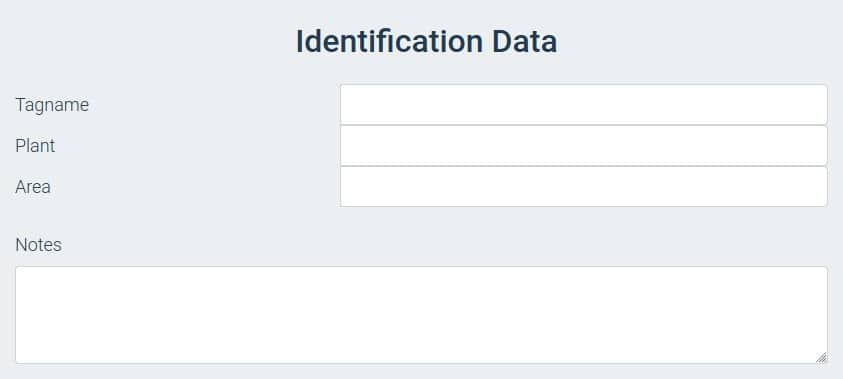
The Identification Data stores information about the Tag name, Plant or Site, Area of the Plant, and any notes you want to add to the final document.
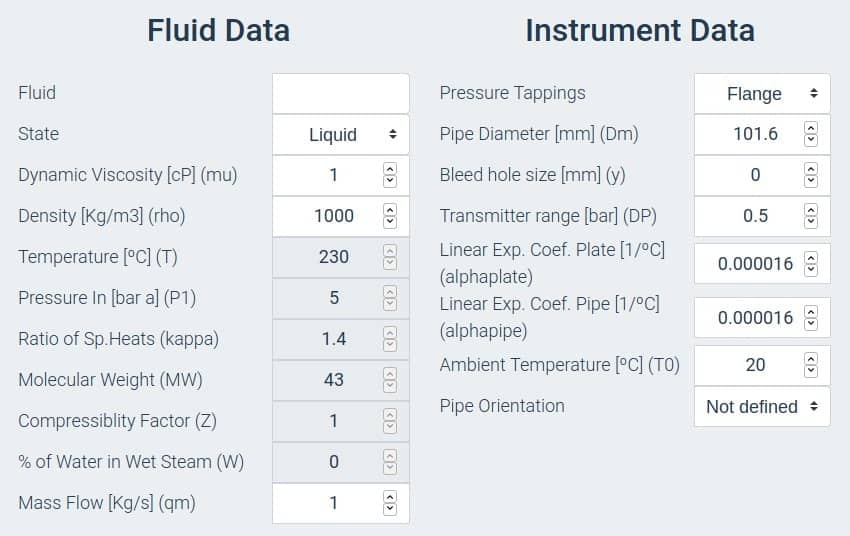
After this section you will find two areas dedicated to Fluid Properties and Instrument Information. Every area has different types of cells: white cells where you must enter your values, and grey cells where values are calculated automatically. Depending on the type of calculation you will need to fill in a variable number of fields. The units required for each cell are indicated in the cell title.
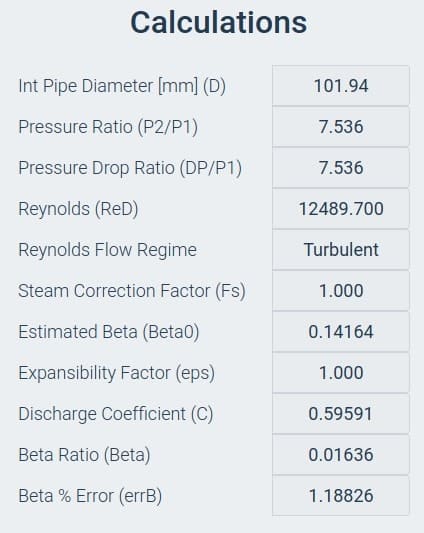
After these initial sections you will find a Calculations area where you can review the intermediate steps used to reach the final result.
Finally, the Results Area displays the output values. The page updates every time you press the RESULTS button.
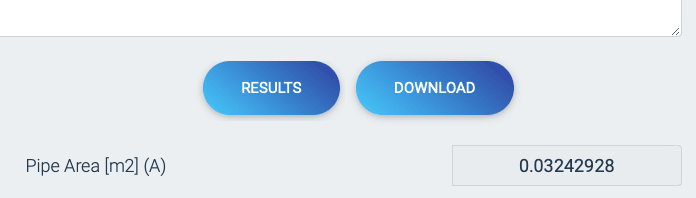
Next to the RESULTS button you will find the DOWNLOAD button, which saves your work as a results spreadsheet in PDF format.
Q2 — Why does Microsoft Excel show a warning when I open the downloaded spreadsheet?
Yes, this is expected behaviour. Microsoft Excel detects that the file was not created directly by the application, but recognises it as a compatible format.
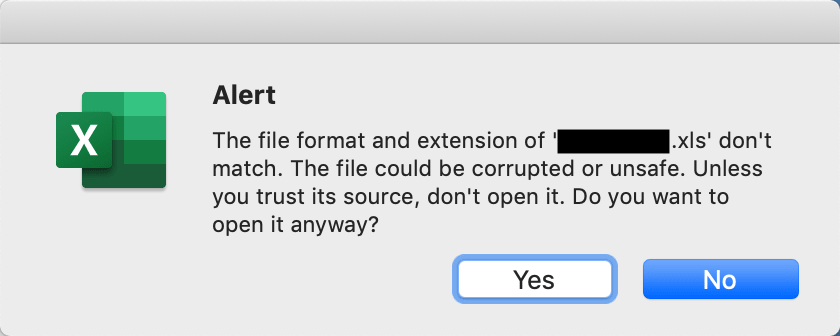
This message appears every time an Excel-compatible file is imported from an external source. Our files are generated using JavaScript and do not contain any type of malicious code. It is safe to click Yes or Enable Editing to proceed.
Q3 — Which units do the calculators support?
Our calculators support both SI units (kg, m, bar, °C, m³/h) and common field/imperial units (lb, in, psi, °F, USGPM) depending on the calculator. Each input field clearly labels the expected unit in its title. Where a unit selector is available, you can switch between unit systems before entering your data.
Q4 — How accurate are the calculation results?
The accuracy of our calculators depends directly on the quality of the input data you provide. The orifice plate calculators are based on ISO 5167-2:2003, which defines the calculation method for differential pressure flow meters. Under ideal conditions and accurate inputs, the expected uncertainty is in the range of ±0.5% to ±2% for well-installed orifice plates operating within their designed range. At low flow rates (below 20% of range), measurement uncertainty increases significantly — typically ±12% or more.
Q5 — Can I save or export my calculations?
Yes. Every calculator includes a DOWNLOAD button that generates a results document in PDF format containing all your input data, intermediate calculations, and final results. This document can be saved, printed, or attached to engineering reports. No account or registration is required to download results.
Q6 — Are the calculators free to use?
Yes, all calculators on this site are completely free. No registration, subscription, or payment is required. Our goal is to provide useful engineering tools accessible to everyone in the instrumentation and control community.
Q7 — What standard is used for the orifice plate calculations?
The orifice plate flow rate, pressure drop, and sizing calculators are based on ISO 5167-2:2003 — the international standard for measurement of fluid flow by means of pressure differential devices, specifically for orifice plates installed in circular cross-section conduits. This standard defines the discharge coefficient equations, installation requirements, and uncertainty guidelines.
Q8 — What is the difference between an orifice plate and a restriction orifice?
An orifice plate flowmeter is a precision instrument used to measure flow rate by correlating the differential pressure across the plate to the flow using a calibrated equation (ISO 5167). Dimensional tolerances are tight and installation must follow strict upstream/downstream straight-pipe requirements.
A restriction orifice is a simple orifice used to limit or control flow — not to measure it accurately. Its purpose is to create a known, fixed pressure drop or to protect downstream equipment from excessive flow. Restriction orifices are designed around the required pressure drop and flow limit rather than measurement accuracy.
Q9 — What is rangeability, and why does it matter for orifice plates?
Rangeability refers to the ratio between the maximum and minimum measurable flow rates of a differential pressure flowmeter. For a standard orifice plate, rangeability is typically 3:1 to 5:1 — meaning the meter can reliably measure flows from about 20% to 100% of its design maximum.
This limitation arises because differential pressure varies with the square of the flow rate. At low flow rates, the DP signal becomes very small, reducing accuracy. To extend rangeability, engineers use multiple DP transmitters with different ranges (range stacking) or select a lower beta ratio.
Q10 — What fluids can the calculators handle?
Our calculators can handle liquids, gases, and steam provided you supply the correct fluid properties:
- Liquids: density (kg/m³ or lb/ft³) at operating conditions
- Gases: molecular weight, operating pressure and temperature (used to calculate density via ideal gas law or compressibility factor Z)
- Steam: density at operating pressure and temperature
The accuracy of gas and steam calculations depends on the accuracy of the compressibility and density data you enter. For critical applications, use NIST or process simulation data for fluid properties.
Q11 — Are the technical articles available in PDF format?
Yes. Each technical article on this site includes a PDF download link so you can save or print the content for offline reference. Look for the download button at the top or bottom of each article page.
Q12 — How do I report an error or suggest a new calculator?
We welcome feedback from the engineering community. If you find an error in a calculation, a typo in an article, or you would like to suggest a new calculator or topic, please use our contact page. We review all submissions and aim to respond promptly.
Q13 — How often is the site updated?
We regularly review and update our content to reflect current engineering standards and best practices. Calculator algorithms are validated against published standards (ISO 5167, API, ASME). If a standard is revised or a bug is reported, we update the relevant pages as soon as possible.
Still have questions? Send them through our contact page and we will be happy to help.