Equipment sizing and signal conversion
Use these tools to size centrifugal pumps and control valves for liquid or gas service, determine liquid volume from the level in a horizontal or vertical vessel, or convert a 4–20 mA signal to an engineering value and PLC/DCS counts. Each calculator can export its inputs and results as a PDF.

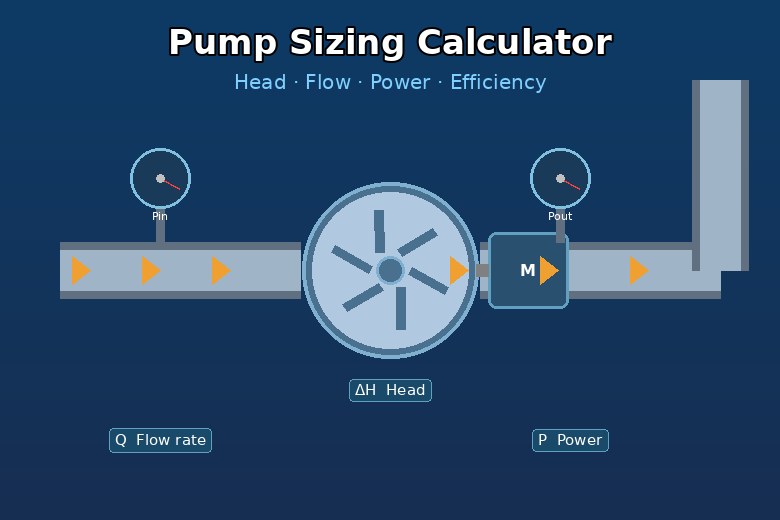
Pump Sizing Calculator
Calculate the hydraulic head, required power, and efficiency of a centrifugal pump. Enter pipe geometry, fluid properties, and operating flow rate to obtain a complete pump duty point. Results include a system curve chart and are exportable as a PDF datasheet.

Vessel Volume by Level Calculator
Determine the liquid volume contained in a horizontal or vertical vessel at any fill level. Supports flat, ellipsoidal, spherical, and ASME F&D head types. Outputs a calibration table and a vessel sketch, exportable as a PDF.
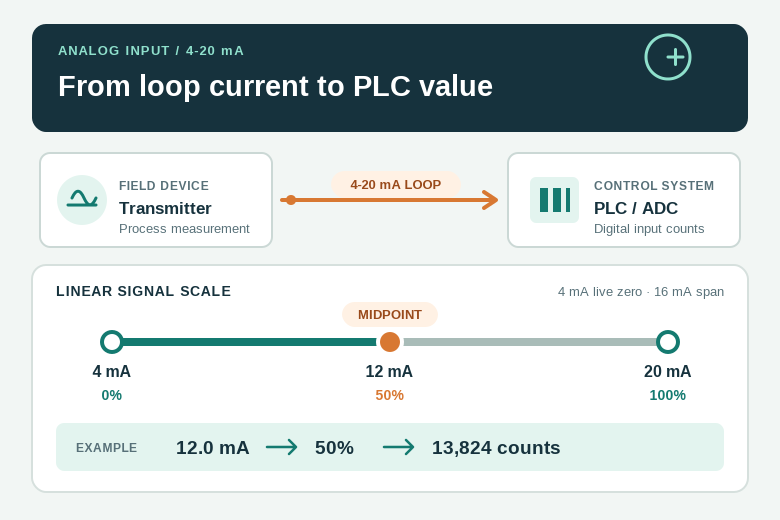
4-20 mA Signal Calculator
Convert a 4-20 mA transmitter signal to a process value, span percentage, and PLC/DCS ADC counts.

Liquid Control Valve Sizing Calculator
Calculate the required Cv and Kv at minimum, normal and maximum liquid flow. Compare valve travel and check for choked flow and flashing.

Gas Control Valve Sizing Calculator
Calculate the required Cv and Kv for compressible gas flow. Compare valve travel and check gas expansion and choked flow across three operating cases.
Related Resources





Frequently Asked Questions
What data do I need to size a centrifugal pump?
Start with the design flow rate, fluid properties, suction and discharge elevations and pressures, and pipe dimensions and fittings. The calculator uses these inputs to estimate the required pump head and power.
What vessel geometries can I calculate?
The volume calculator supports horizontal and vertical cylindrical vessels with flat, ellipsoidal, spherical, or ASME flanged and dished heads. It gives the liquid volume at the entered level and a table relating fill level to volume.
What does 12 mA represent on a 4–20 mA transmitter?
For a linearly scaled signal, 12 mA represents 50% of the span. Enter the lower and upper range values to calculate the corresponding process value. To get raw PLC/DCS counts, select the ADC profile that matches your input module.
Can I download my results?
Yes. Use the Download button in each calculator to export its inputs and results as a PDF.